WeCom
Follow the real setup order to connect a WeCom intelligent bot to Baize: create the bot in the WeCom Workspace, select API mode with a long connection to obtain its credentials, then install and configure the WeCom connector in Web Console.
Estimated setup time: 5–10 minutes.
Before you start
- An account with permission to manage the WeCom Workspace.
- A running Baize instance.
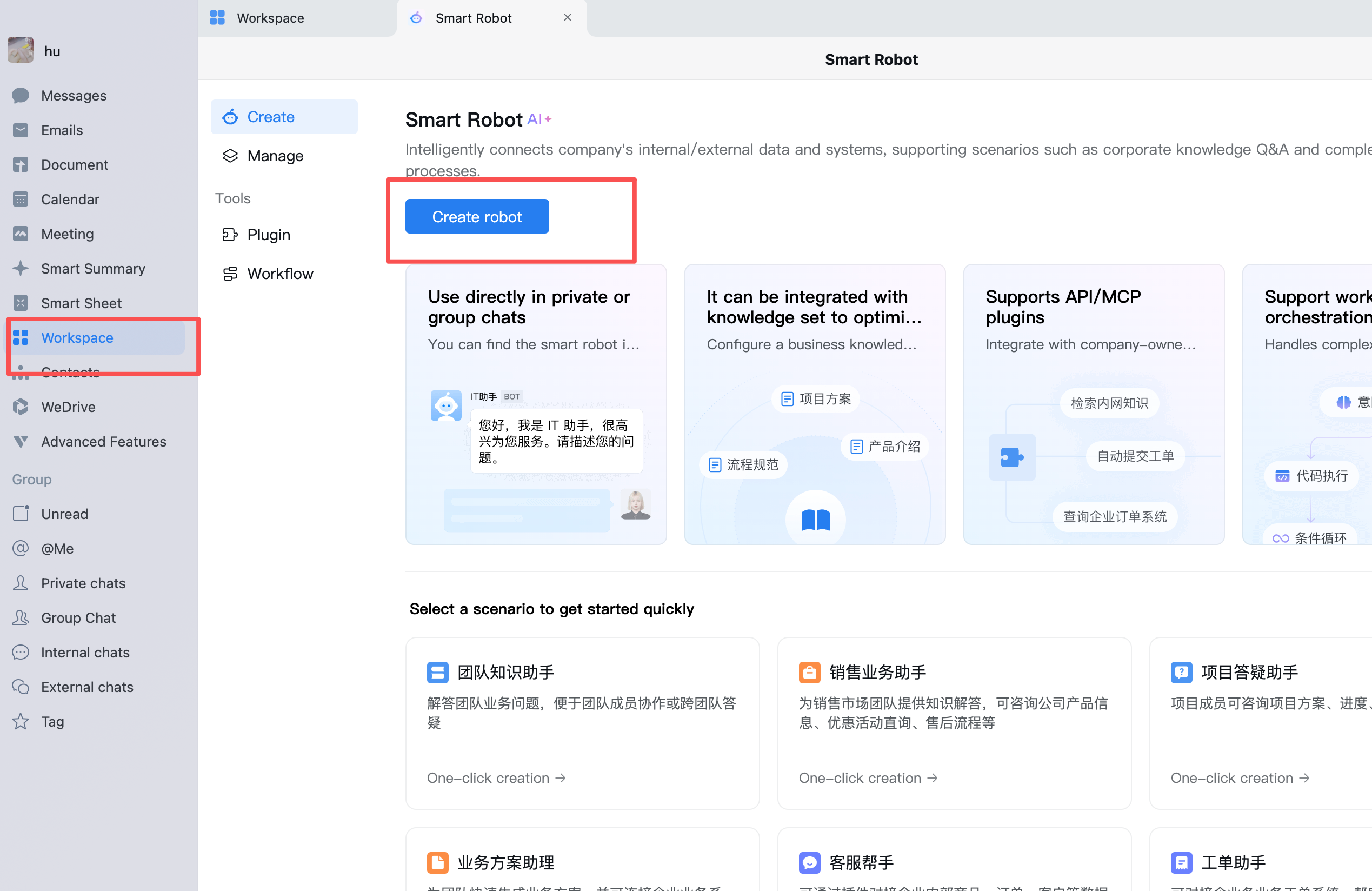
Step 1: Create a robot in the WeCom Workspace
- Open WeCom and enter Workspace.
- Select Create.
- Choose Create robot to create a new intelligent bot.
- Enter the robot name, avatar and description, then finish creation.
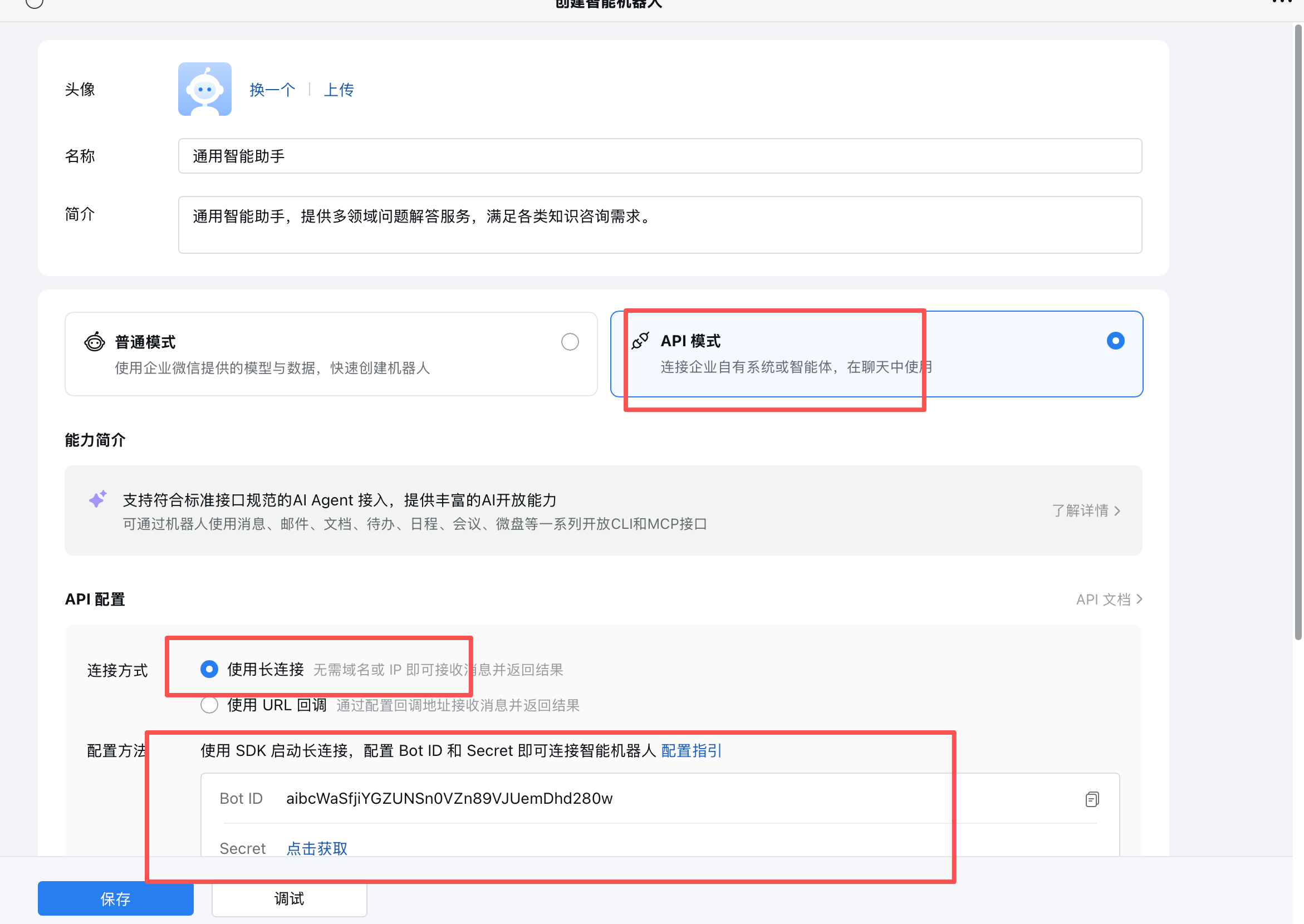
Step 2: Select API mode and enable a long connection
Open the settings for the robot you just created:
- Select API mode.
- Select Use long connection as the connection method.
- Choose the SDK long-connection configuration method.
- Copy the Bot ID.
- Select Get and copy the Secret.
- Save the configuration in WeCom.
Long connection mode does not require a public domain or callback URL, which makes it suitable for private and self-hosted deployments. Treat the Bot ID and Secret as sensitive credentials and never commit them to a repository or share them publicly.
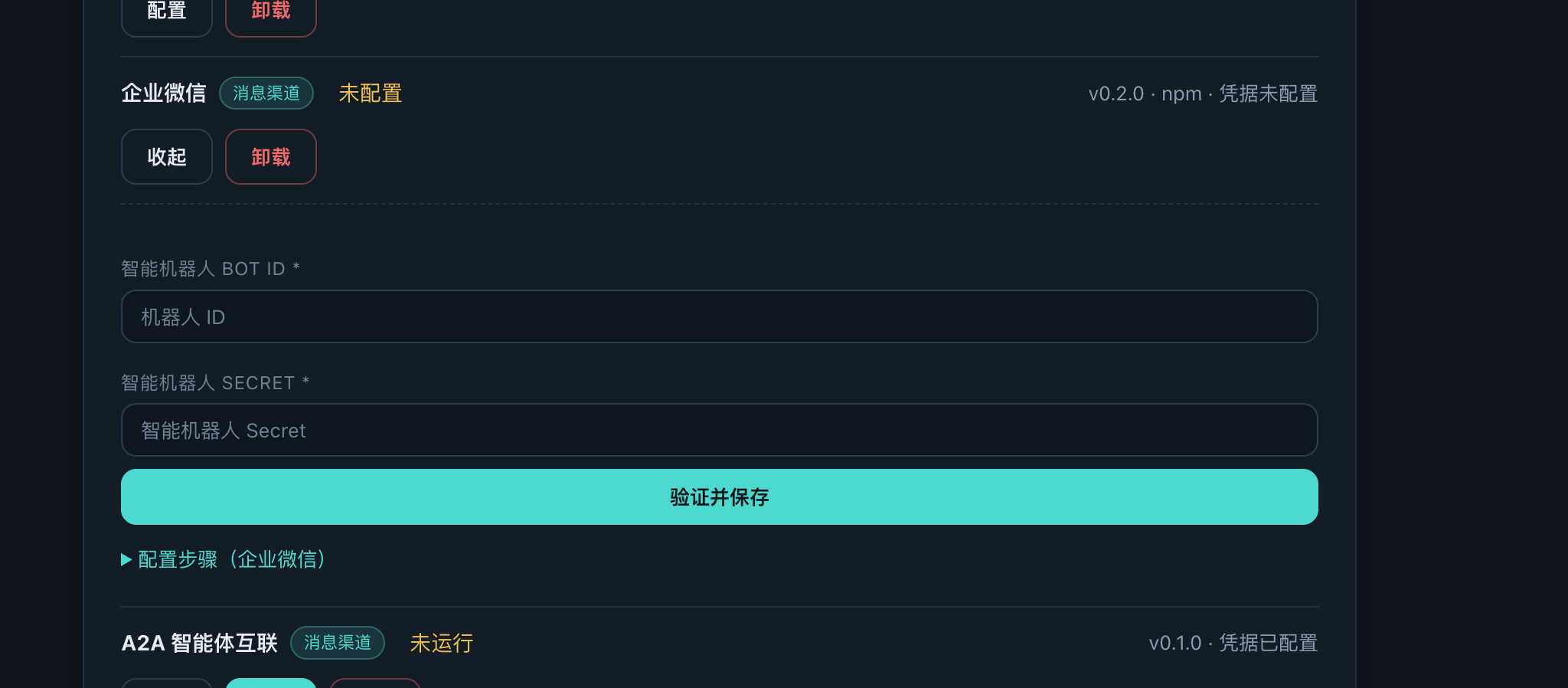
Step 3: Install and configure WeCom in Web Console
Return to Web Console → Channels and integrations in Baize:
- Find WeCom in the available channels.
- Select Install and wait for it to finish — the backend downloads the package and compiles native modules, usually 1–5 minutes. Do not refresh or close the page while installing.
- Open the installed WeCom channel card.
- Enter the Bot ID and Secret in API configuration.
- Select Verify and save.
- Start the connector and confirm that its status changes from Not configured to Running.
Verify the connection
- Open the new robot in WeCom.
- Send a direct message and confirm that Baize replies.
- To use it in a group, add the robot and mention it as required by WeCom.
- Return to Web Console and confirm the channel status and runtime logs.
Troubleshooting
- The robot cannot be created: confirm that the account has Workspace-management permission.
- The long connection does not start: check that the Bot ID and Secret were copied completely and that API mode was saved in WeCom.
- Verify and save fails: confirm that the Baize instance can reach WeCom services; regenerate the Secret if necessary.
- The bot does not reply: confirm that the channel is Running and inspect the Web Console logs.